Cost guide
How much does digital signage cost in the UK?
What drives the price of a UK digital signage system, today's UK prices for the hardware, and what to budget for installation, software and content.
The short answer
Digital signage is priced in three parts: the hardware, the work to install it, and the ongoing software, content and support. Almost every project comes down to a display, something to drive it, a way of mounting it, and the labour to fit and configure it.
Hardware can be priced today, and the table below is taken live from our shop. Installation cannot be listed as a price because the building decides it, so it is surveyed and quoted as a fixed figure. The survey and the specification are free.
- Hardware: the prices in the table below, excluding VAT and delivery
- Installation: a fixed figure, quoted after a free site survey
- Software: from a platform included with the player to a licence charged per screen
- Content: from templates your own team edits to full design or video production
- Support: from the manufacturer warranty to an ongoing support agreement
Hardware prices from our shop
These are today's lowest prices for the hardware we hold, taken straight from the shop. They exclude VAT, which is added at checkout, delivery, which is calculated per item, and installation.
| What it is | From | In the shop | What it covers |
|---|---|---|---|
| Commercial displays | £230 | 38 options | Indoor displays across a range of sizes; brightness and duty rating vary by model. |
| Media players | £175 | 3 options | For screens without a player built in. Network models add scheduling and multi-site control. |
| Stands, mounts and accessories | £35 | 7 options | Floor stands, ceiling mounts and kiosk accessories, matched to the screen. |
Prices update automatically as the shop does. For a figure that includes installation, ask us for a quote.
What you are actually paying for
A digital signage system is more than a screen. The display, the player that drives it, the mount or enclosure, and the commissioning work are what turn it into a system rather than a television on a wall. Everything after that is about how content gets there and how the screen keeps working.
- Display: a commercial grade screen with the brightness and duty rating for where it is going
- Player: built into the display for simple content, or a separate media player for scheduling, video and multi-screen networks
- Mounting: wall bracket, ceiling mount, floor stand, totem, kiosk, or the enclosure that protects an outdoor screen
- Installation: fixing, power, data and commissioning, plus the access equipment a screen at height needs
- Software: the content management system, either included with the player or licensed
- Content and support: who makes and schedules the content, and who fixes it when something stops
Reading the hardware prices
The table above shows the lowest current price in each category, live from our shop. It is a starting point rather than a quote: a product family usually runs from a small screen up to a large one, and the price climbs quickly with diagonal size, brightness and duty rating.
Within a single range of 4K commercial displays, moving from a 65 inch panel to an 86 inch panel roughly doubles the price with nothing else changed. Mounts and stands are matched to the size and weight of the screen, so they are chosen with it rather than bought separately. Shop prices exclude VAT, which is added at checkout, and delivery is calculated per item before you pay.
What moves the price up or down
- Size: the biggest single factor. A larger screen of the same specification costs substantially more
- Brightness: an indoor screen at 350 to 500 nits against 2,500 to 5,000 nits for a window or outdoor screen
- Duty rating: a 24/7 rated panel costs more than a 16/7 panel, so match it to your opening hours
- Touch and interactivity: PCAP touch glass adds cost, and so do sensors and the software behind them
- Format: portrait, floor stand, totem, kiosk or enclosure instead of a simple wall bracket
- A video wall instead of one screen: several panels, an alignment system, a processor and more work behind the wall
- The building: wall type, height, access, whether power and network are already at the screen, and out of hours working
- Scale: more screens and more sites mean more licences, more travel and more scheduling to set up
- Content: reusing your own photography and price lists costs little; design and video production is a project of its own
Installation: why it is quoted per site
Two identical screens in two different buildings are two different jobs, so installation is priced from the survey rather than from a list. The survey itself is free.
- The fixing: solid wall, plasterboard, glazing, steelwork or a listed interior
- Whether power and network are already where the screen is going, or have to be run to it
- Height and access: high ceilings, awkward stairs, a cherry picker or scaffold
- When the work can be done: during opening hours, out of hours, or on a site that cannot be disturbed
- Landlord or building rules, permits, and any structural work the screen needs
- Commissioning: the player, the content schedule, the network, and training for the people who will use it
Software and ongoing costs
Some systems carry no subscription at all: the player comes with a content management system that you go on using for as long as you own the hardware. Others are licensed per screen, per month or per year, which is where multi-site scheduling, analytics and user permissions usually sit.
Which suits you depends on how many screens you run, how many people publish content, and how much scheduling you need. Any subscription is set out in writing with the quote, including what happens to the screens if you stop paying, so there is no surprise in year two.
Content: the cost people forget
Content is what makes a screen useful, and it is the part that keeps needing attention. If you have photography, a menu or a price list, templates can be built for your team so day to day changes take minutes and cost nothing further.
Where content has to be designed or produced, it is quoted at the start as its own piece of work. A launch campaign, a set of product films or a menu redesign is priced on what it involves, not on how many screens it ends up on.
Three typical projects
Most projects take one of these three shapes. The hardware prices are the live figures in the table above, and installation is quoted after the survey.
- A single screen behind a reception desk: one commercial display, a wall bracket, and a player if the display has none built in, running a simple welcome and directory schedule. This is the lowest cost way to start, and it can be added to later on the same system.
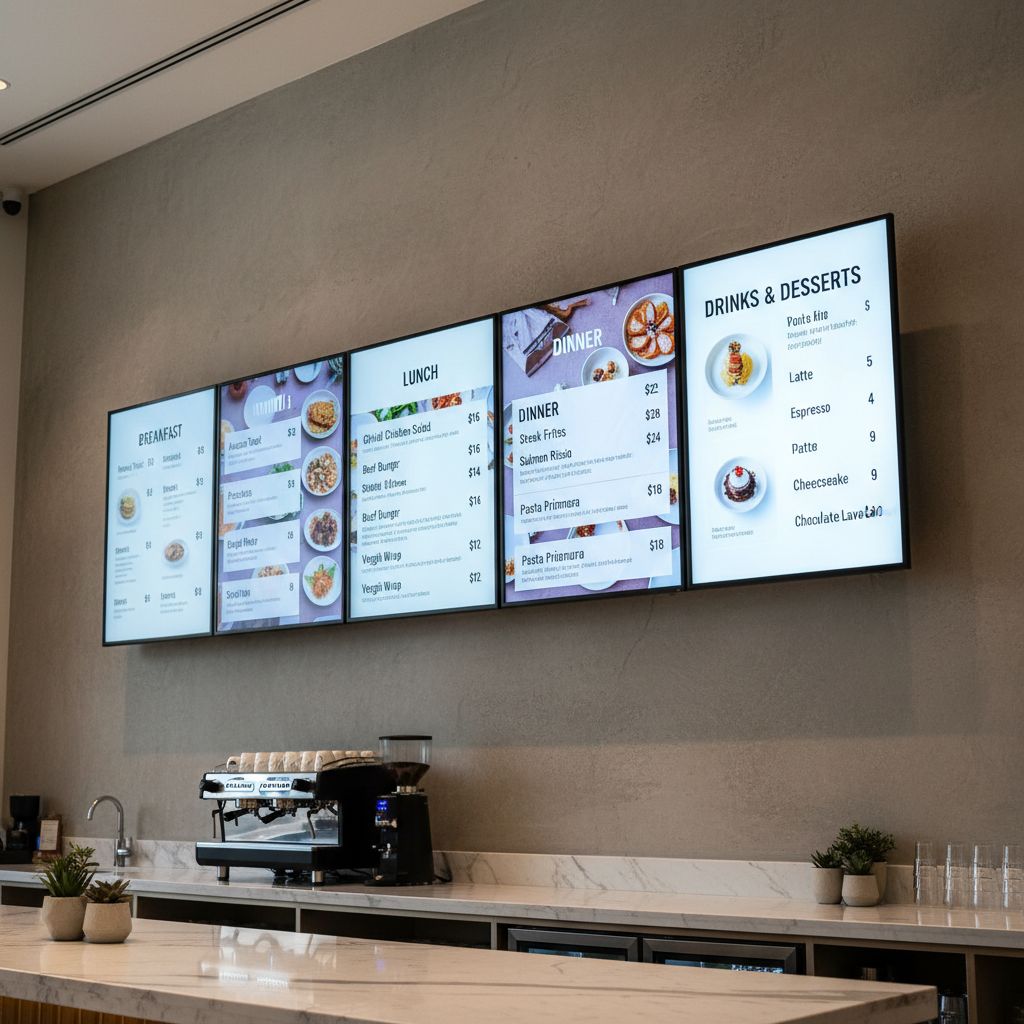
- Digital menu boards in a cafe: two or three high brightness screens above the counter, a player running dayparting so breakfast, lunch and evening switch automatically, a menu template your team edits, and installation.
- A window display for a shop: a 2,500 nit or brighter window panel, or transparent LED behind the glass, in the orientation that suits the glazing and scheduled by time of day. Here you are paying for brightness and for fitting it into the shopfront.
How to keep the cost down
- Start with one screen, prove it works, then add to the same system
- Choose a display with the player built in where the content is simple
- Match the duty rating to your opening hours instead of buying 24/7 capacity you will not use
- Use the power and network points that are already in the right place
- Start with your own photography and price lists, and templates your team can edit
- Buy the hardware from our shop and install it with your own contractor if you prefer, with our support behind you
Getting an exact figure
Send us the space, a photo of the wall or the window, the screen sizes you are considering and roughly what you want to show. With the viewing distance, and whether it is indoors, in a window or outdoors, we can usually come back with a specification and a price without visiting.
Anything larger than a single screen gets a site survey first. The survey, the specification and the quote are free, and the quote is a fixed figure for the work so nothing moves afterwards.
Digital signage cost FAQs
The questions we are asked most often when a project starts to get a budget.
How much does a single digital signage screen cost?
A commercial display with a wall bracket and a player built in starts at the figure shown in the table above for displays. Add installation, which depends on the wall, the power and the network, and any software subscription. A single screen is the cheapest way into digital signage, and it can be added to later.
Do these prices include VAT and installation?
No. Shop prices exclude VAT, which is added at checkout, and they exclude installation and any software subscription. Delivery is calculated per item at checkout and shown before you pay.
How much does a video wall cost compared with one screen?
A video wall multiplies the number of panels, and adds a mount system that keeps them aligned, a processor to scale one image across all of them, and the structure and access needed to maintain it. Expect several times the cost of a single screen of the same size.
Is there a monthly cost?
Sometimes. Some platforms are included with the player you buy, and others are licensed per screen per month or per year. Subscriptions usually appear where scheduling, analytics or multi-site control are needed. Whatever applies to your project is set out in writing before you buy.
How much should we budget for content?
If you already have photography and a menu or price list, templates can be built so your team runs the day to day changes, which keeps this small. Full design or video production is a project of its own, and is quoted at the start rather than added later.
Why can you not give one price for installation?
Because the building decides it: the fixing, the height, whether power and data are already at the screen, out of hours access, and landlord or building rules. We survey first and quote the work as a fixed figure, so the number does not change afterwards.
How long before the screens are up and running?
Hardware held in stock can ship quickly, and installation is booked around your access. Larger LED and video wall projects take longer, because panels are ordered for the size and any structure is prepared first. Dates are confirmed before you order.
Can we buy the hardware and install it ourselves?
Yes. Anything in our shop can be bought on its own, and we can supply the bracket matched to the screen. If the wall, the power and the network are suitable, your own contractor can fit it, and support is available for the configuration and afterwards.
Get a real number for your site
Tell us about the space and what you want it to do. The site survey, the specification and the quote are free, and the quote is a fixed figure for the work.